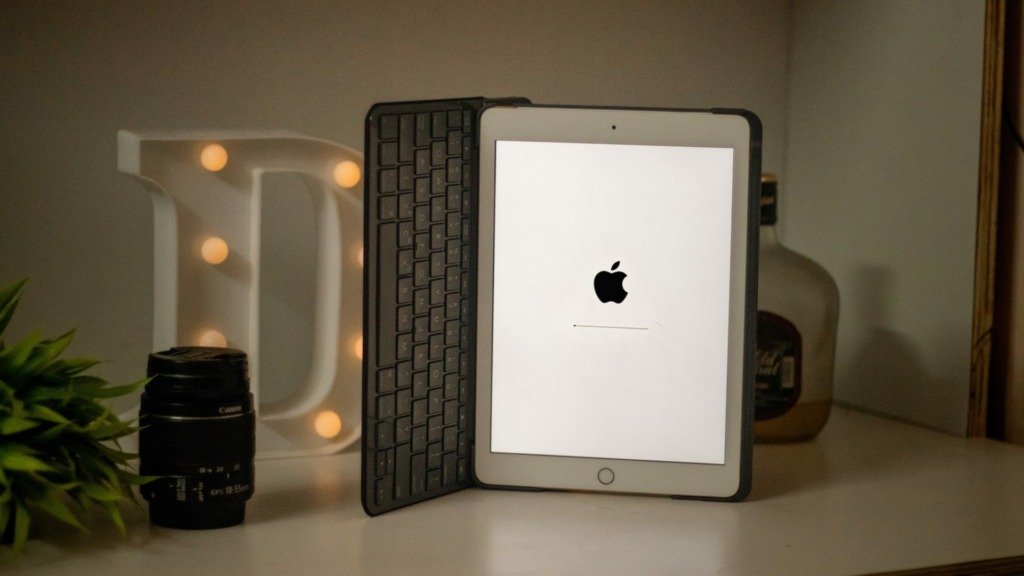
Your iPad 9th Generation is already a fantastic piece of tech, a versatile canvas for creativity, productivity, and entertainment. But to truly unlock its full potential, transforming it from a great tablet into an indispensable daily driver, you need the right companions. Think of it: a sturdy case for protection, a precise stylus for detailed work, or a comfortable keyboard for cranking out emails. Choosing the best accessories for iPad 9th Generation can elevate your experience, making your device more adaptable, durable, and genuinely fun to use.
Whether you're a student, a creative professional, or someone who simply loves to browse and binge-watch, investing in the right accessories makes all the difference. This guide will walk you through the essential gear, helping you pick out the perfect additions to make your iPad 9th Gen work harder and smarter for you.
At a Glance: Essential iPad 9th Gen Accessories
- Protect Your Investment: A robust case is non-negotiable for everyday bumps and drops.
- Unleash Creativity: An Apple Pencil (1st Gen) and specialized screen protector enhance drawing and note-taking.
- Boost Productivity: A comfortable keyboard and trackpad can turn your iPad into a lightweight laptop alternative.
- Stay Powered & Connected: High-capacity power banks and durable cables keep you going on the go.
- Elevate Your Setup: Stands and mounts offer ergonomic viewing and free up desk space.
- Know Your Ports: Remember, the iPad 9th Gen uses a Lightning port, not USB-C, which impacts hub and some storage options.
Before You Buy: A Quick Check
Before diving into specific recommendations, it's always a good idea to confirm your iPad model. While this guide focuses specifically on the iPad 9th Generation, accessories often have precise compatibility. You can find your iPad's model number (it starts with "A") etched on the back cover, usually near "Designed by Apple in California." This ensures you grab the accessory that fits like a glove.
Many accessory manufacturers are now designing for newer hardware, but don't fret – popular options are frequently available for older iPads, including your 9th Gen. A quick search for the product name plus "iPad 9th Generation" will usually confirm availability.
Fortify Your Device: Cases & Folios
A great case does more than just protect your iPad; it can enhance its usability, add functionality, and even reflect your personal style. For the iPad 9th Generation, you'll want something that offers solid protection without adding unnecessary bulk, especially if you carry it everywhere.
The Zugu Case: Robust Protection, Thoughtful Design
When it comes to overall folio cases, the Zugu Case consistently earns top marks. It’s engineered with a rigid bumper that provides excellent impact absorption, safeguarding your iPad from those inevitable drops and dings. The buttons are easy to press, and a sizable lip around the screen offers crucial protection against face-down impacts.
What truly sets the Zugu Case apart is its magnetic cover. It doesn't just wake and sleep your screen; it also stays securely shut, preventing accidental screen activation or damage when you're on the move. The magnetic flap is incredibly versatile, allowing for up to eight adjustable viewing angles, providing exceptional stability whether you're typing, drawing, or watching a movie. You can even stick it to a metal surface like your fridge for hands-free viewing while cooking! Plus, it includes a secure spot for your Apple Pencil, ensuring it's always handy. Reasonably priced and available in various colors, Zugu also donates 10% of its profits to charity, adding a feel-good factor to your purchase.
Spigen Rugged Armor Pro: Budget-Friendly Brawn
If you're looking for serious protection without breaking the bank, the Spigen Rugged Armor Pro is an excellent choice. This case envelops your entire tablet, featuring a robust bumper and a tough back cover crafted from thermoplastic polyurethane and polyurethane leather. A magnetic latch keeps everything secure.
The display cover isn't just for protection; it smartly converts into a stand, offering two convenient viewing angles. It also thoughtfully includes an Apple Pencil spot, although it’s worth noting that while it holds the stylus securely, this case doesn't automatically shut off your iPad's display when closed – a minor trade-off for its impressive ruggedness and affordability. Ensure you select the version specifically designed for the iPad 9th Generation.
Nomad Leather Folio (for Specific iPad Models): When Luxury Calls
While the Nomad Leather Folio is specifically designed for the iPad Pro and attaches magnetically to reduce bulk, it's worth mentioning as an example of a premium, minimalist folio. These types of cases offer less protection than full clip-in cases but appeal to those who prioritize sleekness and high-quality materials. Updated in May 2025, Nomad's latest offerings, like this leather folio, often feature a magnetic flap with space for an Apple Pencil and multiple kickstand angles. If Nomad or a similar brand offers a version for the iPad 9th Gen, it would be an excellent choice for a luxurious feel, though perhaps not the absolute best for maximum impact protection.
Unleash Your Inner Artist: Stylus & Grips
For many, the iPad is a digital sketchbook, a note-taking powerhouse, or a precision tool for detailed work. A stylus is key to unlocking these capabilities, and the iPad 9th Generation shines particularly bright with the 1st Generation Apple Pencil.
Apple Pencil (1st Generation): Your Creative Companion
The Apple Pencil is, without a doubt, one of the most useful tools for any iPad user. While the ground truth mentions newer generations like the Apple Pencil (USB-C), Second-Gen, and Apple Pencil Pro, it's crucial to remember that your iPad 9th Generation is compatible with the Apple Pencil (1st Generation). This stylus offers incredibly precise input, low latency, and pressure sensitivity, making it ideal for drawing, handwriting, and detailed editing. It connects via Bluetooth and charges by plugging its Lightning connector directly into your iPad's charging port – a design that's a bit quirky but effective.
Paperlike Pencil Grips: Comfort and Control
Even the best stylus can benefit from a little ergonomic help. The Paperlike Pencil Grips are a godsend for those who find the Apple Pencil (especially the first-generation model) a bit slippery or uncomfortable during long sessions. This two-pack typically includes a Maximum Comfort Grip, designed to reduce fatigue, and a Maximum Precision Grip, crafted for better stroke accuracy. These grips are particularly useful if you find yourself pressing down too hard or losing your grip, allowing you to maintain better control and comfort throughout your creative or productive endeavors.
Elevate Your View: Stands & Mounts
Freeing your hands and finding the perfect viewing angle can dramatically improve your iPad experience, whether you're following a recipe, video chatting, or enjoying content.
Twelve South HoverBar Duo 2.0: The Flexible Arm Mount
If desk space is a premium or you need to position your iPad in unique ways, the Twelve South HoverBar Duo 2.0 is an ingenious solution. This arm mount elevates your iPad, clearing valuable desk real estate and allowing you to adjust the screen's angle and height with ease. It features a slim clamp that can attach securely to shelves, kitchen counters, or desks, and it also comes with a weighted stand. The arm can be effortlessly transferred between the clamp and stand, giving you incredible versatility. It supports both the 12.9-inch iPad Pro and "base iPad" models, meaning it's compatible with your 9th Gen. The hinges can be tightened with an included hex key, ensuring it maintains its position over time.
Satechi Aluminum Desktop Stand: Sturdy and Sleek
For a more traditional, yet equally effective, desktop solution, the Satechi Aluminum Desktop Stand is hard to beat. It provides solid support for various iPad sizes, with hinges that remain tight and stable even after years of use. Its rubber base prevents any unwanted sliding, keeping your iPad securely in place. The stand features two hinges, allowing you to fine-tune both the height and viewing angle to your preference. It’s also surprisingly lightweight and portable, making it easy to move between workspaces or toss in your bag.
Lamicall Gooseneck iPad Holder: Hands-Free in Bed
For ultimate relaxation, especially when watching content in bed, a gooseneck arm mount like the Lamicall Gooseneck iPad Holder is a revelation. It features a flexible, lengthy rod that, despite its adjustability, maintains its position well over time. The base is a secure clamp, allowing you to attach it to a headboard, nightstand, or desk. While it might be a little wobbly when you're tapping the screen (which is common for this style of mount), it’s perfect for hands-free viewing, letting you kick back and enjoy your shows without holding your iPad.
Transform Your Tablet: Keyboards & Trackpads
Turning your iPad 9th Generation into a productivity powerhouse often means adding a keyboard and, ideally, a trackpad. This combination can make typing long documents, sending emails, and navigating iPadOS much more efficient and comfortable.
Logitech Combo Touch: The Premium Keyboard Case Experience
For a full-fledged laptop-like experience, the Logitech Combo Touch is a standout choice. It seamlessly integrates a built-in keyboard, a responsive trackpad, and a sturdy kickstand. Its brilliant detachable design means you can remove the keyboard when you just want a tablet, while still retaining the protection and kickstand. The case is slim, features a pleasant fabric texture, and boasts backlit keys – a godsend for typing in dim environments. Crucially for the iPad 9th Gen, it connects via Apple's Smart Connector, eliminating the need for Bluetooth pairing or worrying about charging the keyboard itself; it draws power directly from your iPad. While newer versions are available for iPad Pro (M4) and iPad Air (M2) with larger trackpads, the 9th Gen version offers an incredibly robust and user-friendly experience, making your iPad 9th generation feel like a true laptop replacement.
Zagg Messenger Folio 2: The Best Budget Keyboard Case
If you need a keyboard but prefer a more budget-conscious option, the Zagg Messenger Folio 2 is an excellent contender, specifically designed for ninth- and 10th-gen iPads. This compact keyboard cover offers surprisingly good key travel, making typing comfortable, and includes dedicated keys for common iPadOS functions like Home, recent apps, and lock. It features a fabric-like exterior and a convenient stylus holder. When closed, it automatically turns off your iPad's screen, saving battery.
While it offers only one stable viewing angle, its simplicity and effectiveness are its strengths. The keyboard recharges via USB-C (a common port, though the iPad itself uses Lightning for power), and its battery can last for months on a single charge. It connects via Bluetooth, and you can even see its battery life in the iPadOS widget. The main trade-offs are the lack of backlighting and a trackpad, but for its price, it offers fantastic value.
Logitech K380: Portable Bluetooth Simplicity
For a standalone keyboard that offers maximum flexibility, the Logitech K380 is a perennial favorite. This quiet, tactile keyboard is incredibly slim, lightweight, and portable, making it easy to toss into any bag. Its standout feature is its ability to connect to up to three devices simultaneously, allowing for quick switching between your iPad, iPhone, or even a desktop computer with the press of a button. Powered by two AAA batteries (which can last for months), it’s a reliable and comfortable typing solution, available in various colors to match your style.
Apple Magic Trackpad 2 & Satechi M1 Wireless Mouse: Precision Pointing
While the iPad's touch interface is intuitive, a dedicated pointing device can significantly enhance productivity, especially when paired with a keyboard.
The Apple Magic Trackpad 2 is a roomy, thin, and light trackpad that brings desktop-grade precision to your iPad. It features Force Touch sensors for pressure feedback and full support for iPadOS gestures, making navigation feel incredibly natural and efficient. It pairs seamlessly via Bluetooth and recharges via a USB-C port.
Alternatively, if you prefer the ergonomics of a traditional mouse, the Satechi M1 Wireless Mouse is an excellent Bluetooth option. Its ergonomic design fits comfortably in hand, with responsive buttons and a smooth scroll wheel. A thoughtful design touch is its Type-C port, conveniently located on the front, allowing you to charge it while in use. It’s available in several attractive metallic finishes like gold, rose gold, blue, silver, and space gray.
Preserve Your Display: Screen Protectors
Your iPad's beautiful Liquid Retina display is one of its crown jewels. Protecting it from scratches and smudges, or even enhancing its feel for creative work, is a smart move.
Casetify Impact Screen Protector: Everyday Defense
For general protection against everyday wear and tear, the Casetify Impact Screen Protector is a solid choice. These super-thin protectors maintain excellent touch sensitivity, ensuring your iPad responds fluidly to every tap and swipe. Casetify also claims strong fingerprint resistance, which helps keep your screen looking clean. The application kit is usually comprehensive, including a microfiber cloth, wet/dry wipes, and a de-dusting sticker, making the installation process as smooth as possible.
Astropad Rock Paper Pencil (V2): The Artist's Choice
For those who use their iPad 9th Gen extensively for drawing, writing, or note-taking with the Apple Pencil, the Astropad Rock Paper Pencil (V2) is a game-changer. This isn't just a screen protector; it's a creative tool. It offers a unique "paperlike" feel, adding a subtle resistance that mimics writing on actual paper, enhancing control and precision. What makes it particularly ingenious is its NanoCling technology, which allows it to attach via static cling. This means it's incredibly easy to apply, realign, and, crucially, remove when you don't need that paper-like texture (for instance, when you're just watching videos). It comes with specific Apple Pencil tips designed to work perfectly with its surface. While it can be prone to fingerprints, these are easily wiped off.
Power Up & Hook Up: Charging, Storage & Connectivity
Keeping your iPad charged and connected to peripherals is essential for continuous use, especially if you're taking it on the go.
Reliable Charging: Adapters & Power Banks
A good charging setup is critical. While the iPad 9th Gen charges via Lightning, these universal power solutions are invaluable:
- Nomad 65W Slim Power Adapter: Updated in May 2025, this slim and powerful adapter is perfect for travel. It features two USB-C ports, delivering 45 watts to one port and 20 watts to the other when charging two devices simultaneously. Its foldable prongs make it incredibly portable. You'd use your existing Lightning to USB-C cable or an equivalent with this.
- Ugreen 145W Power Bank: For heavy-duty charging on the go, this power bank is a beast. It offers a massive 145-watt output and a 25,000-mAh battery capacity. It can deliver 100 watts with one USB-C port and 45 watts with the second, making it capable of charging not just your iPad but even a laptop. A small LED screen displays battery life. Though it weighs 1.1 pounds, its power capacity is unmatched for extended trips.
- Raycon The Magic Laptop Power Bank 5-in-1: Also updated in May 2025, this heavy-duty power bank from Raycon is a truly versatile accessory. It boasts five outputs and a 15,000-mAh battery capacity with a 65-watt output. What makes it special is that it doubles as a wireless charging pad – though this isn't relevant for the iPad 9th Gen, it's great for other devices. It includes a USB-C port, a USB-A port, a built-in Lightning cable, and a built-in USB-C cable, offering incredible flexibility for various devices. It even displays current power output and remaining battery life. It's compact and lightweight for its capabilities.
Nimble PowerKnit USB-C to Lightning Cable: Durable & Eco-Friendly
A durable charging cable is an unsung hero. The Nimble PowerKnit USB-C to Lightning Cable is an excellent example. Rated for 60 watts, it's not only fast but also built to last, made from certified recycled plastic and aluminum (BPA- and PVC-free). Its knit fabric design adds to its durability and prevents tangles. Available in 1-, 2-, or 3-meter sizes, you can choose the length that best suits your needs, ensuring you always have a reliable connection.
SanDisk iXpand Luxe: Flash Drive for Quick Transfers
For easily moving photos, videos, and documents between your iPad, iPhone, and computers, the SanDisk iXpand Luxe is incredibly convenient. It offers various storage options up to 256 gigabytes and features a Lightning port on one end and a USB-C port on the other. This dual-port design makes it highly versatile for transferring files across different devices, though it requires the SanDisk app for some additional functions.
Understanding Connectivity: The Lightning Port Advantage (and Challenge)
The iPad 9th Generation utilizes a Lightning port for charging and connectivity, which is an important distinction from newer iPads that have moved to USB-C. This means that while many accessories are increasingly designed for USB-C, you'll need to be mindful of compatibility.
Hubs & Adapters: Accessories like the Satechi Aluminum Stand & Hub or the Twelve South StayGo Mini are excellent USB-C hubs, providing ports like HDMI (for 4K external displays), USB-A, 3.5-mm audio, and SD/MicroSD card readers. They also feature USB-C charging ports for pass-through power. While these specific hubs won't directly connect to your iPad 9th Gen's Lightning port, they illustrate the kind of expanded connectivity available to iPads. For 9th Gen users, consider Apple's official Lightning to USB Camera Adapter or Lightning Digital AV Adapter, which allow you to connect USB-A devices or an HDMI display, respectively, though with more limited port options than dedicated USB-C hubs.
Portable Storage: Similarly, powerful portable SSDs like the OWC Envoy Pro Elektron SSD, a speedy, durable aluminum NVME solid state drive, are fantastic for data storage. It's IP67 water-resistant and tiny, roughly the size of an Altoids tin. It includes a USB-C to USB-C cable and a USB-A adapter. To connect such a drive to your iPad 9th Gen, you would typically need a Lightning to USB-A adapter, allowing you to interface with the USB-A end of the cable. This enables you to expand your iPad's storage significantly, perfect for large media files or backups.
Other Accessories to Consider
Beyond the core essentials, a few other notable accessories might catch your eye, each with its own set of pros and cons.
- Zagg Pro Keys 2: This is another Bluetooth keyboard case, offering more protection and a detachable system than some budget options. It recharges via USB-C. While it’s available for newer models like the iPad Pro (M4), note that it can be bulky, and the second-generation version surprisingly lacks a trackpad.
- Paperlike Screen Protector (General): While Astropad's version is specifically recommended, many brands offer "Paperlike" screen protectors. These are generally harder to apply than standard protectors but add crucial resistance for drawing and writing, mimicking the feel of pen on paper.
- Apple Magic Keyboard: Apple's own keyboard and trackpad combo is renowned for its excellent trackpad and comfortable, backlit keyboard. However, it's an expensive, bulky, and heavy accessory that adds significant weight to the iPad. Crucially, it leaves the iPad's sides unprotected, and its stand can be difficult to open. Furthermore, it has limited iPad compatibility and is not designed for the iPad 9th Generation.
- SaharaCase Folio Case: A standard folio case that offers decent protection with raised edges and often includes an Apple Pencil holder. It usually features a magnetic latch and a cover that doubles as a stand (typically offering two viewing angles). One common caveat is that some models might flop open when not actively secured.
- Bellroy Leather Sleeve: For those who appreciate exquisite craftsmanship, a leather sleeve like Bellroy's offers a stylish way to carry and protect your iPad. Available for several iPad generations, it often features a leather loop for the Apple Pencil and a slot for USB-C charging (or an opening for Lightning on 9th Gen compatible versions). It can even double as a surprisingly stable stand, usually offering one viewing angle, which can be useful on your lap or a flat surface.
Making Your Choice: What Matters Most to You?
When it comes to outfitting your iPad 9th Generation, the "best" accessories are ultimately those that best suit your specific needs and how you use your device.
- Prioritize Protection: If your iPad travels with you everywhere, a rugged case like the Zugu or Spigen is a smart first investment.
- Unleash Productivity: For students or professionals, a keyboard case like the Logitech Combo Touch or the budget-friendly Zagg Messenger Folio 2 can dramatically change how you work.
- Embrace Creativity: Artists and note-takers will find the 1st Gen Apple Pencil and a Paperlike screen protector indispensable.
- Stay Mobile: Portable power banks and durable cables are essential for staying connected and powered on the go.
Take a moment to consider what challenges your iPad currently presents, or what tasks you wish it could handle more efficiently. Then, use this guide to confidently select the accessories that will help your iPad 9th Generation reach its full potential, making every interaction more efficient, enjoyable, and secure.